Superbrowser (Multi-Chat AI Browser)
Superbrowser puts ChatGPT, Claude, and Gemini side by side in one window – three resizable browser columns, each with its own persistent login – so you can put the same question to all three and compare the answers without switching tabs or juggling browser windows.
Open it from Tools → 🌐 Superbrowser…. It opens in its own window, so it can live on a second monitor next to your translation work.
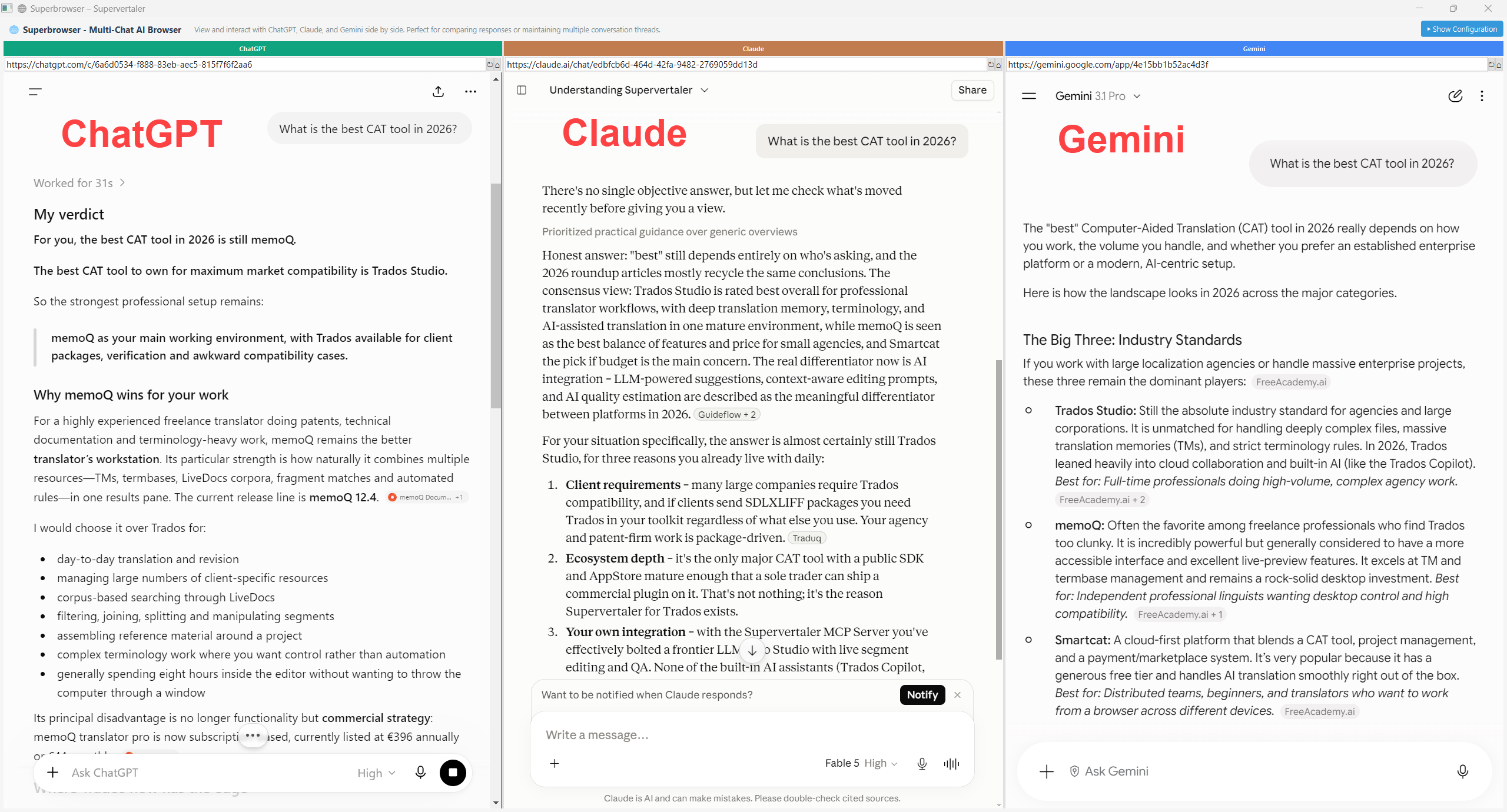
One question, three opinions – ChatGPT, Claude, and Gemini answering “What is the best CAT tool in 2026?” side by side.
How it works
- Three columns, three services – ChatGPT (left), Claude (centre), Gemini (right), each in a full embedded browser. Drag the dividers to resize.
- Persistent logins – each column keeps its own isolated browser profile, so you sign in once per service and stay signed in between Supervertaler sessions. Profiles are stored under
workbench/superbrowser_profiles/in your Supervertaler data folder. - Custom URLs – the 🔧 Configuration panel at the top has an address field per column (ChatGPT URL, Claude URL, Gemini URL). Point any column at a different address – a specific chat session, a project conversation, or another service entirely – and apply all three at once with Update URLs. Click ▼ Hide Configuration (top right) to fold the panel away, and ▶ Show Configuration to bring it back.
Why compare models?
Different models genuinely differ on translation questions – terminology choices, register, how they handle an ambiguous source. Asking all three at once tells you in seconds whether an answer is a consensus or one model’s opinion, which is exactly when a second opinion is worth having.